
Technical issues
How to Disable the Steam Overlay
Last updated 1 min read
The Steam overlay (Shift + Tab) opens the Steam browser, chat and friends list inside the game. It hooks into the game's rendering and can conflict with the cheat menu.
For every game
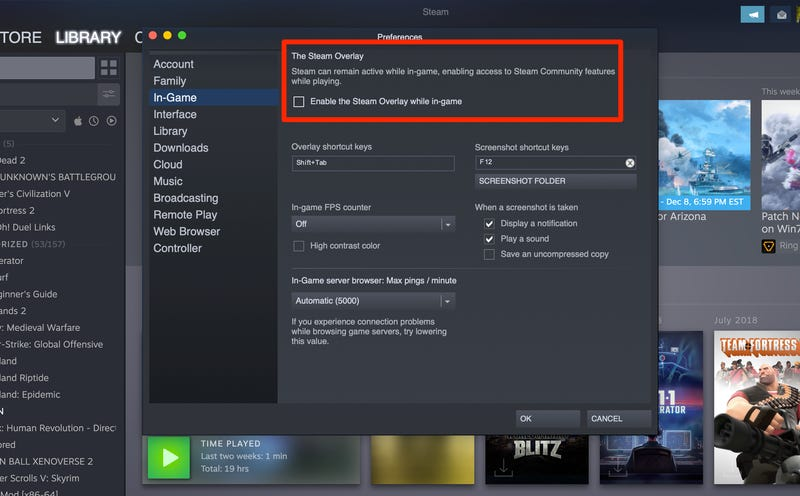
Open Steam and go to Steam → Settings.
Open the In Game tab.
Turn off Enable the Steam Overlay while in-game.
For one game only
In your Library, right-click the game and choose Properties → General, then turn off Enable the Steam Overlay while in-game.
Disable the other overlays too
Also turn off Discord, the Xbox Game Bar and your graphics overlay (NVIDIA or AMD). For everything else, see the troubleshooting guide.