
Technical issues
How to Disable Fast Startup (Windows 10 & 11)
Last updated 1 min read
With Fast Startup on, "Shut down" doesn't fully turn Windows off. It hibernates the system instead. Drivers and some settings then carry over from the last session, which can make changes seem not to work. Turning it off gives you a clean start every time. The steps are the same on Windows 10 and 11.
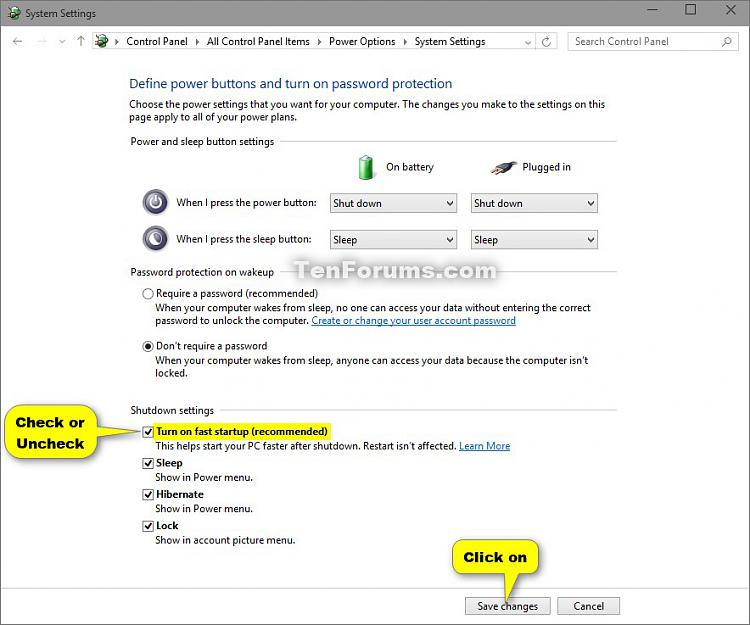
Open Control Panel and go to Power Options.
Click Choose what the power buttons do.
Click Change settings that are currently unavailable.
Uncheck Turn on fast startup (recommended).
Click Save changes.
Tip
After changing Windows settings from the troubleshooting guide, such as Memory Integrity, use Restart rather than Shut down so they definitely apply.
Related tweaks
See also Game Mode and GPU scheduling.